

Add a tab of your own inside a card
Card tabs let you add a new tab to a card. Each tab appears as a button inside the open card, and renders a page of your own.
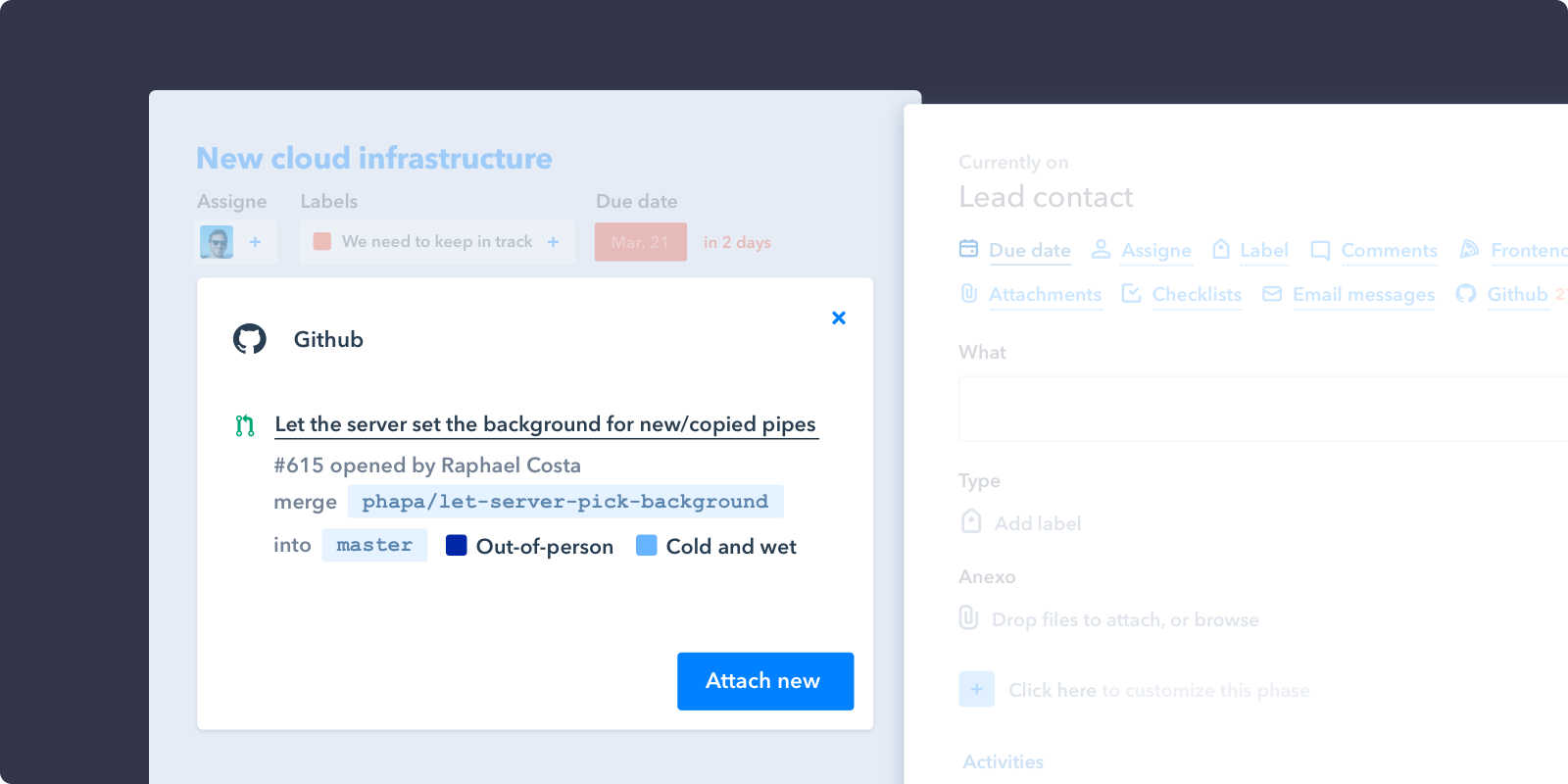
A GitHub app rendering its pull requests in a card tab
How it works
Unlike the other features, card-tab returns a single object, not an array — a card can have one tab per app.
The url points at a page of yours, which Pipefy loads in an iframe inside the card. That page is a separate document: it loads the SDK itself, calls PipefyApp.init() for its own client, and must call PipefyApp.render() once loaded or the tab never displays.
'card-tab': function(p, pipe) {
  return {
    icon: './images/icon-blue.svg',
    title: 'Github',
    url: './attachments.html',
    claimedAttachments: function(attachments) {
      // Iterate by all attachments to claim attachments from Github
      return attachments.filter(function(attachment){
        return attachment.url.indexOf('https://github.com') === 0;
      });
    },
    buttons: [
      {
        text: 'Attach',
        callback: function(p) {
          getToken(p).then(function(token) {
            if (token) {
              showInitialDropdown(p);
            } else {
              showAuthorizeDropdown(p);
            }
          });
        }
      },
    ]
  }
},
getToken,showInitialDropdownandshowAuthorizeDropdownare not SDK functionsThey are helpers this example's app defines itself, sketching a typical OAuth flow: look for a stored token with
p.get(), and if there isn't one, prompt the user to authorize withp.oAuthAuthorize(). You write these yourself.
And the tab page itself:
<!DOCTYPE html>
<html>
  <head><meta charset="utf-8"></head>
  <body>
    <div id="root">Loading…</div>
    <script src="https://platform.staticpipefy.com/pipefy-app.js"></script>
    <script>
      var p = PipefyApp.init();

      PipefyApp.render(function () {
        p.cardAttachments().then(function (attachments) {
          document.getElementById('root').textContent =
            attachments.length + ' pull requests';
          PipefyApp.resizeTo('#root');
        });
      });
    </script>
  </body>
</html>
Receive
- p: Pipefy Client
- pipe: Pipe object
{ id: '23dfu', name: 'Hotdog app' }
Read the card the tab was opened on with p.card() from inside the tab page.
Return
A single object.
- icon: Icon path. Relative paths (with or without a leading
./) resolve against your app'sinit_url; anything starting withhttpis used as-is. Give the SVG a fill of #0081FF so it matches Pipefy's other card icons — your file is embedded as-is and is not recoloured. - title: Tab title
- url: Relative URL to the iframe responsible for rendering the tab content
- claimedAttachments: A function receiving all of the card's attachments, returning only the ones this app owns. Pipefy uses the result to group them under your tab.
- buttons: Buttons rendered at the bottom of the tab. An array of objects with
textandcallback.
About claimedAttachments
claimedAttachmentsApps attach links to cards with p.attach(), and several apps can have attached links to the same card. claimedAttachments is how you tell Pipefy which of them are yours — typically by matching a URL prefix:
claimedAttachments: function(attachments) {
  return attachments.filter(function(attachment){
    return attachment.url.indexOf('https://github.com') === 0;
  });
}
The same filter is useful in a card badge, to count the attachments your app owns without opening the card.
See also
- User Interface functions —
PipefyApp.render()andPipefyApp.resizeTo() - Custom App Data —
p.attach(),p.detach(),p.get(),p.set() - Sample Apps — a working card tab in React