

Orchestrating Agents with Pipefy
Orchestrate interconnected AI agents to execute end-to-end workflows.
Bridge the gap between raw AI power and enterprise-grade process control
Pipefy is the command center for your intelligent workforce. By orchestrating external agents alongside Pipefy’s native agents, you create resilient, self-correcting workflows that navigate ambiguity with human-like reasoning and machine-speed efficiency.
Requirements
To start orchestrating, you will need:
- An active Pipefy iPaaS account
- API access to your chosen external LLM (OpenAI, Google, Anthropic, etc.)
- A defined process (Pipe) where the orchestration will live
Step 1: Building the Orchestration Recipe
The foundation of agentic orchestration is the Pipefy iPaaS. It acts as the nervous system, sending signals between your process and external brains.
1.1 Set the Trigger
Start by creating a new flow in Pipefy iPaaS. Use the "Card created" trigger to initiate the agentic chain every time a request enters your system.
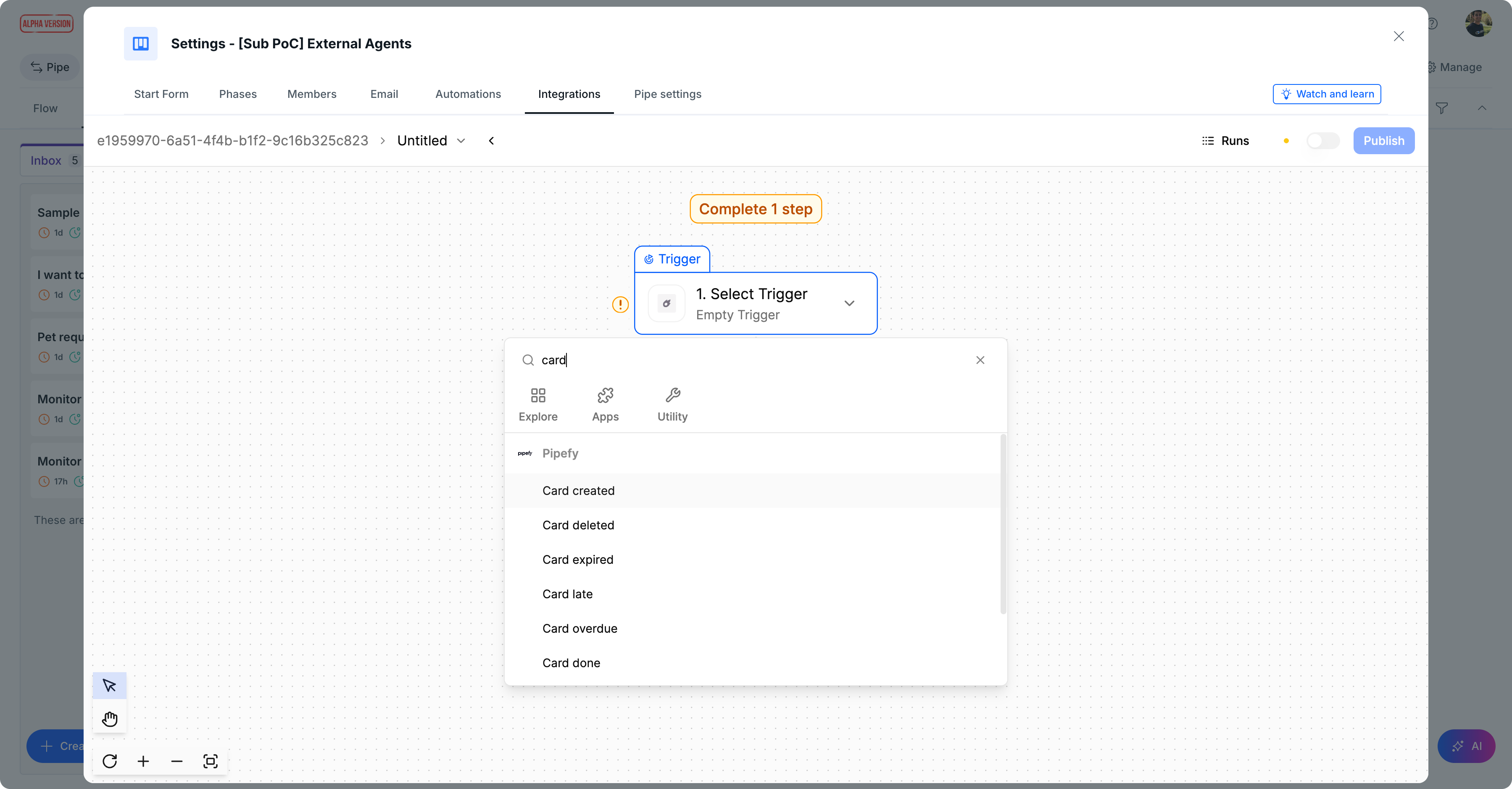
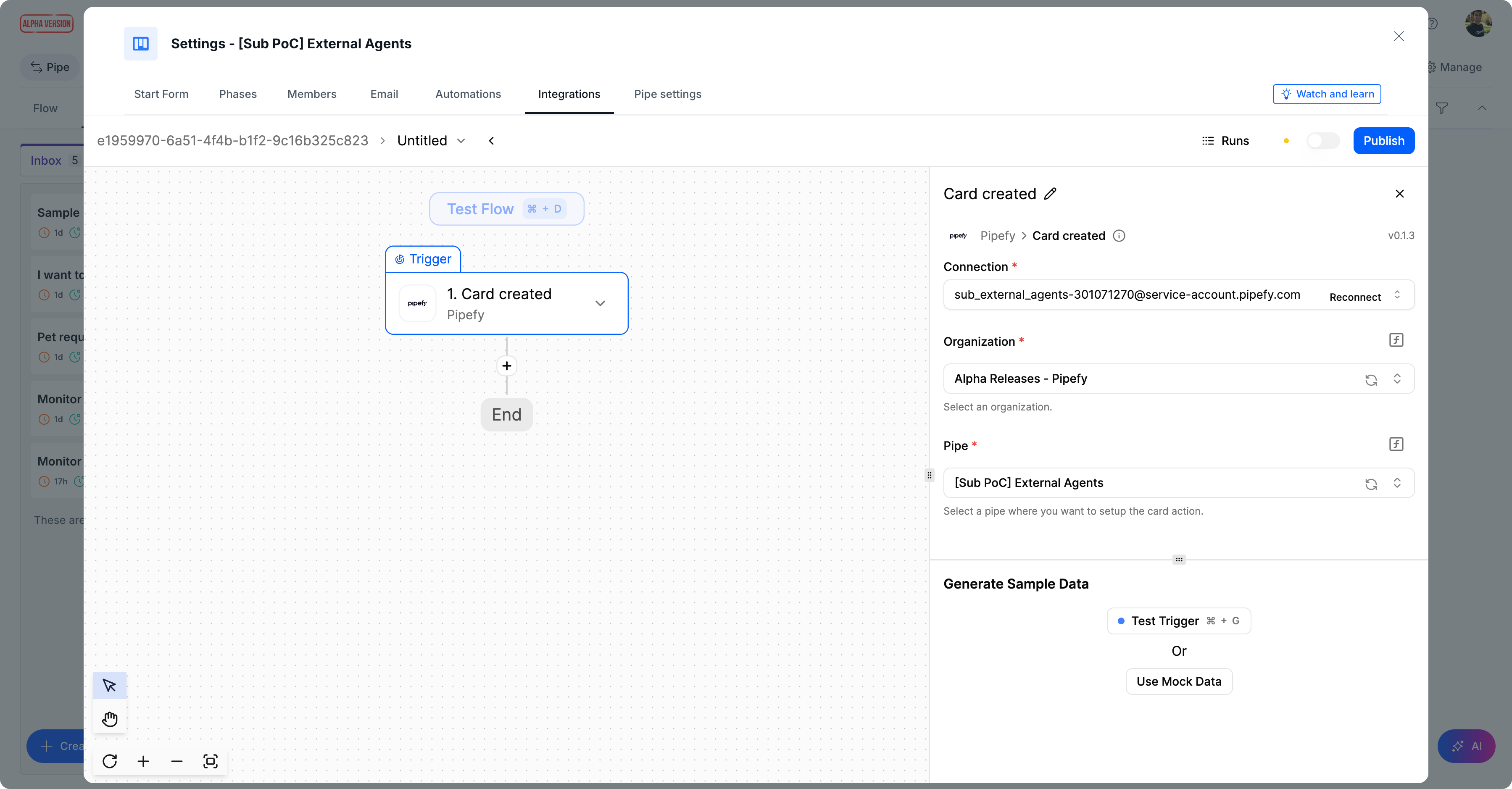
Note: You will need a Pipefy Service Account for that.
1.2 Context Gathering
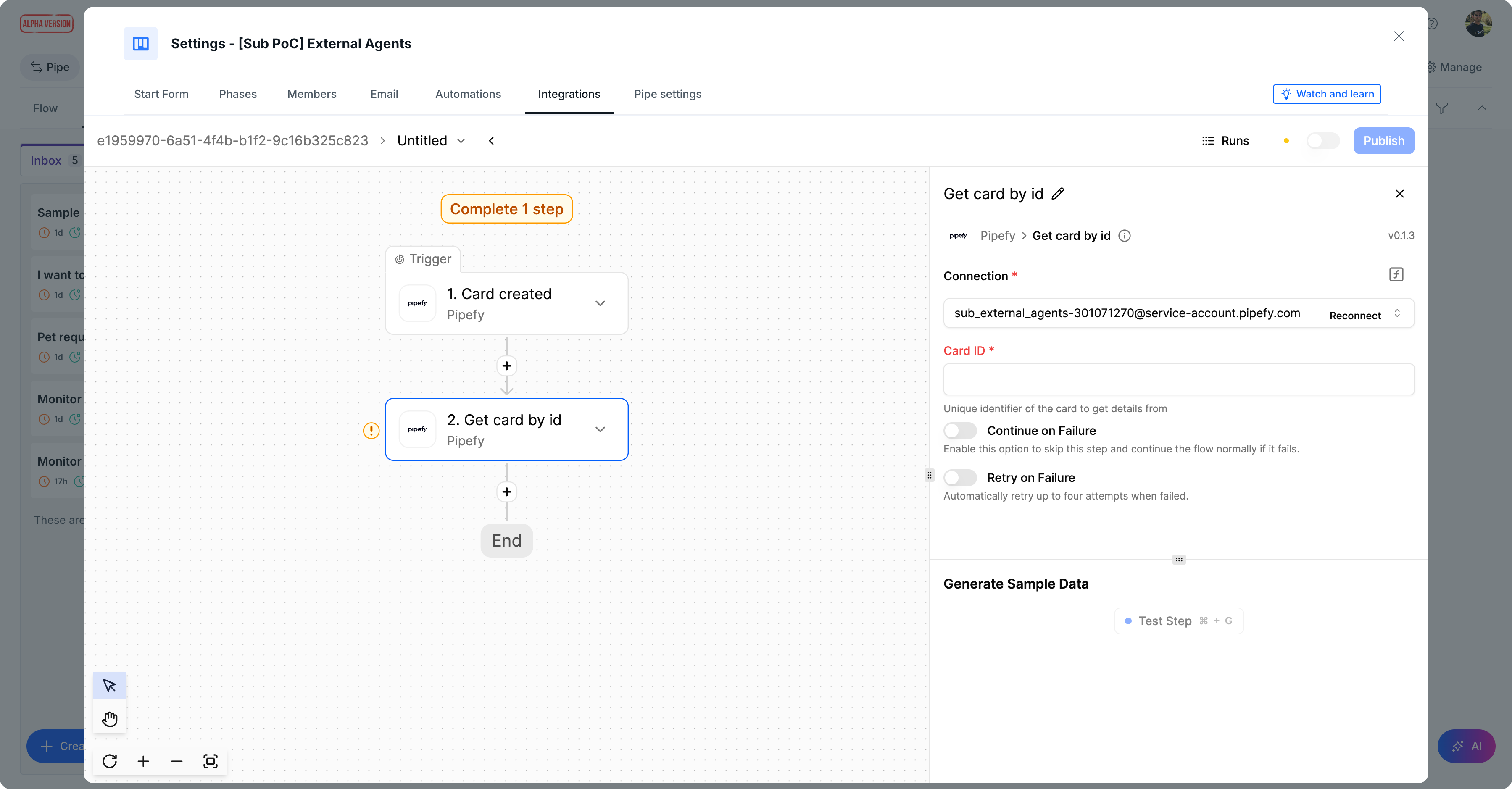
Before calling an agent, you must fetch all relevant card data. This ensures the agent has the full context (Requestor, Department, Amount, Description) to make an informed decision.
Use the “Get card by id” step to retrieve this information.
1.3 The External Brain Integration (The Core)
This is where the orchestration happens.
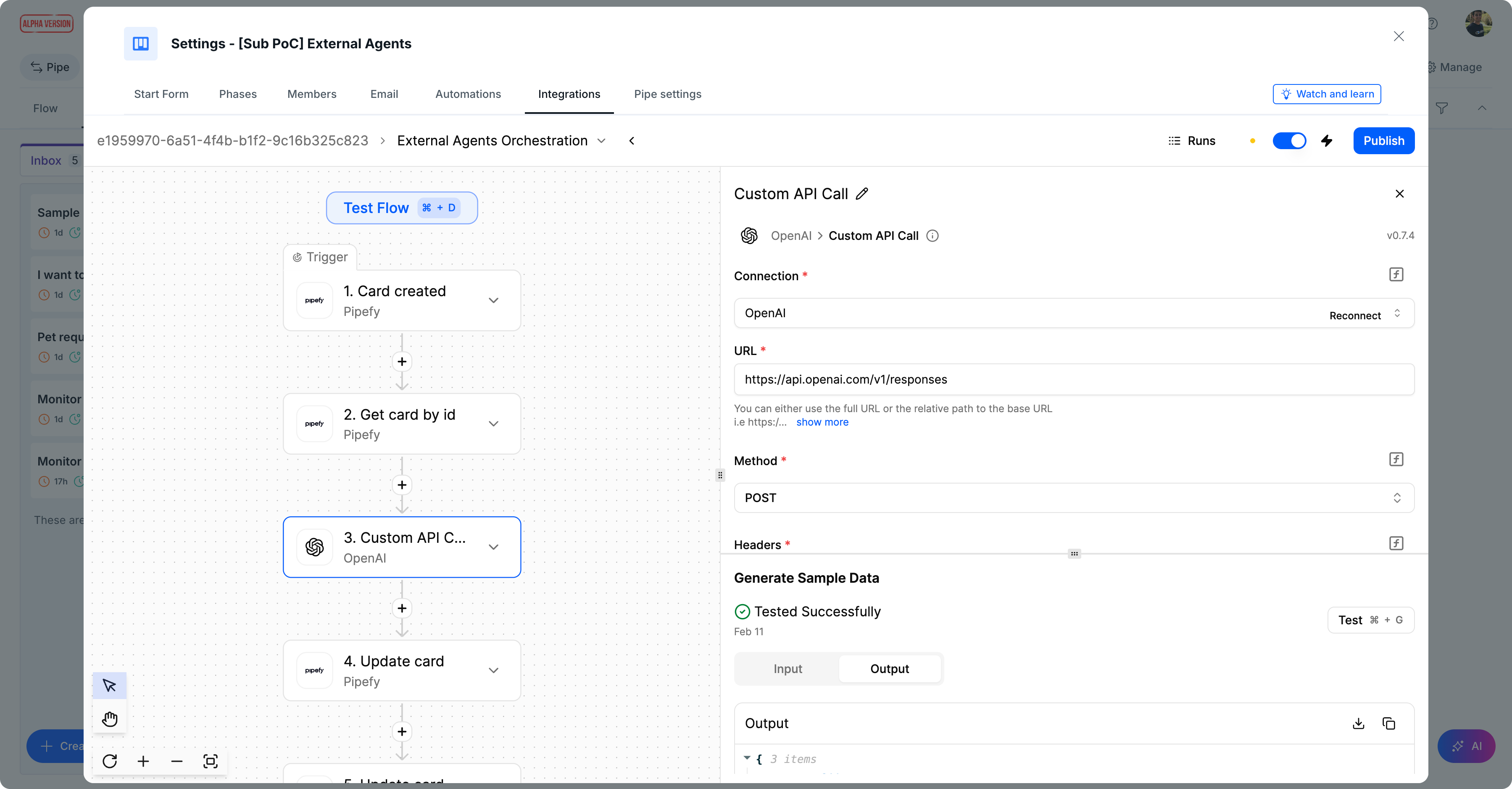
Insert a step to call your external agent (e.g., OpenAI Assistants API or any other). This is particularly useful if you already have an external agent configured with your company’s Knowledge Base (RAG or System Prompt).
In the screenshots referenced above, step 3 uses a “Custom API Call” to the OpenAI Responses API, sending:
- Dynamic data from the card created in previous steps
- The identifiers of your external agent
You can find these identifiers in your external agent platform.
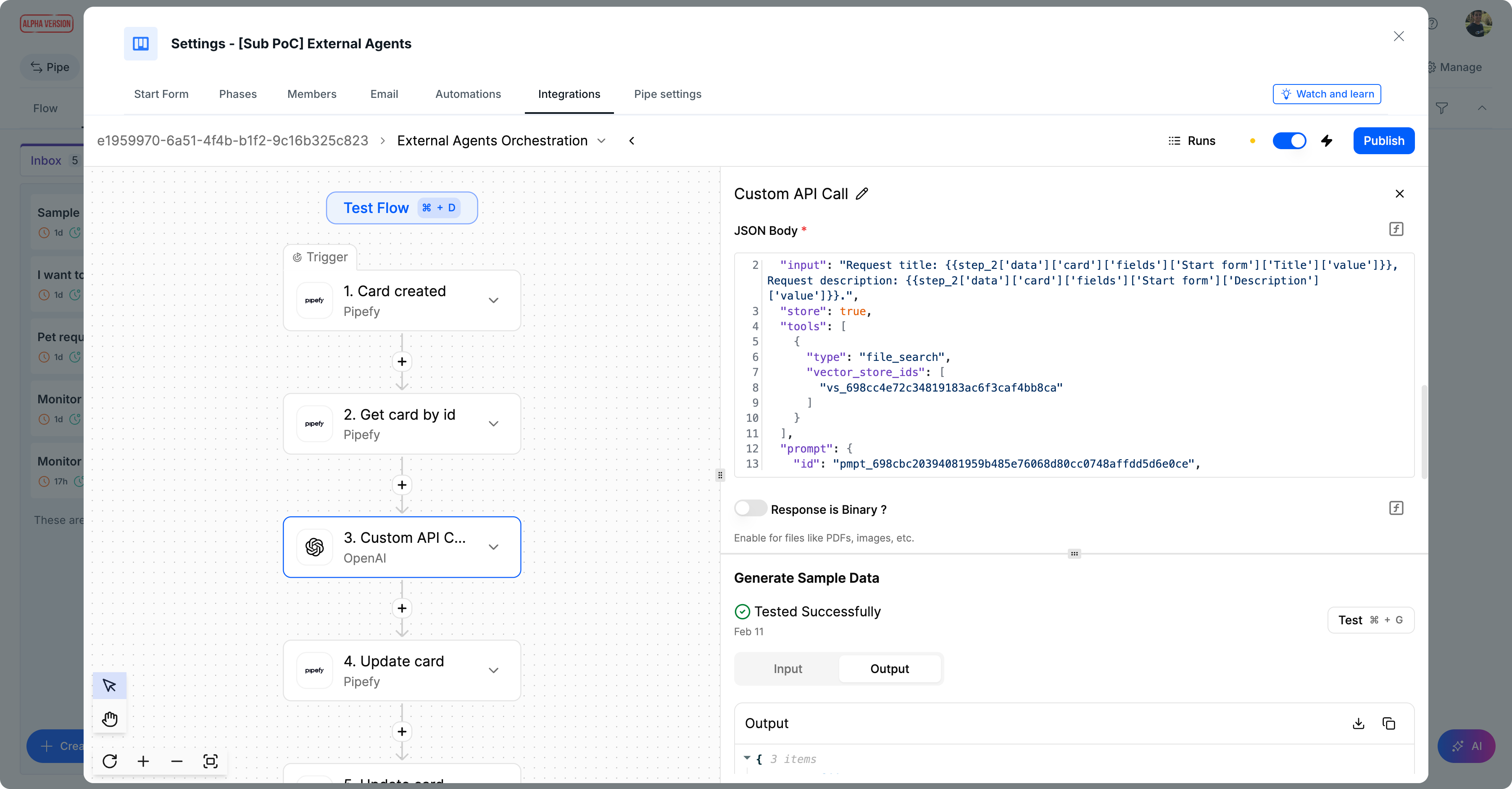
Dynamic Inputs:
Place them into your JSON request body using the iPaaS interface.
Security note: Use the secure “Connection” input configuration for your API keys.
1.4 Capturing and Storing the Intelligence
The final piece of the recipe is bringing the external agent's response back into your process’s source of truth using the “Update card” step. The iPaaS will take the raw output from the AI and map it back to a pipe field. You can choose to place the full output into a field or to perform a parsing here.
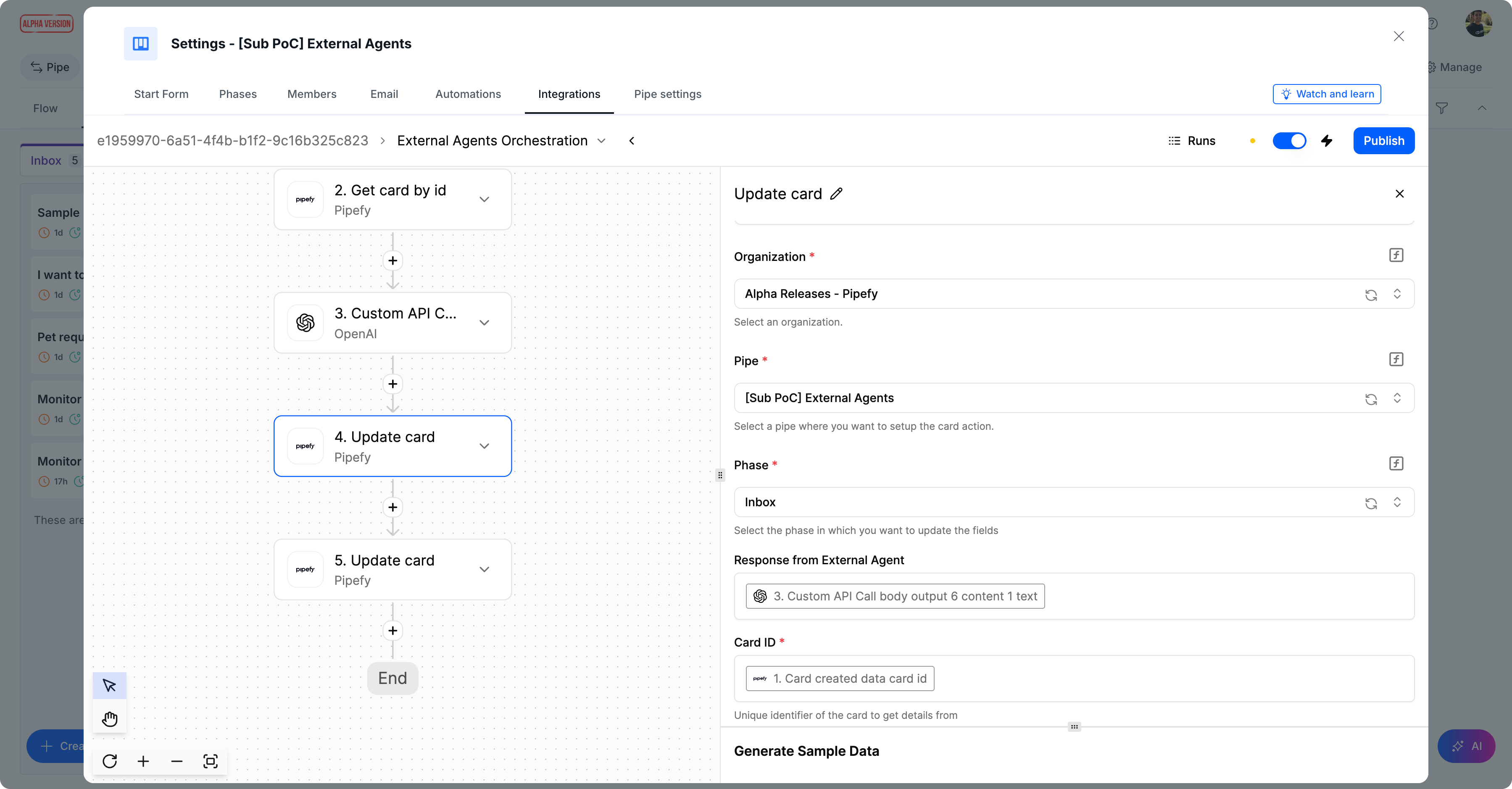
Creating the Audit Trail
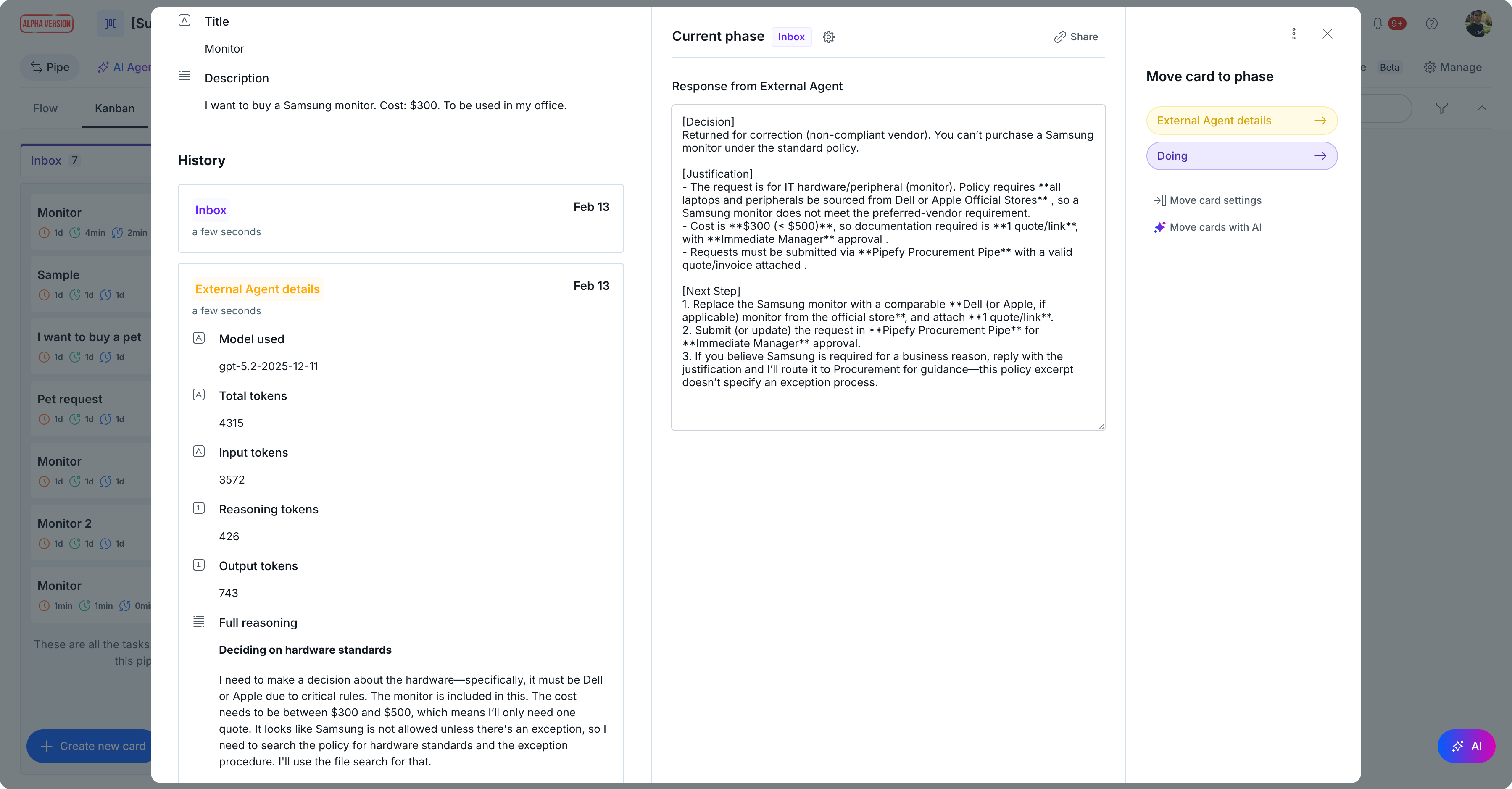
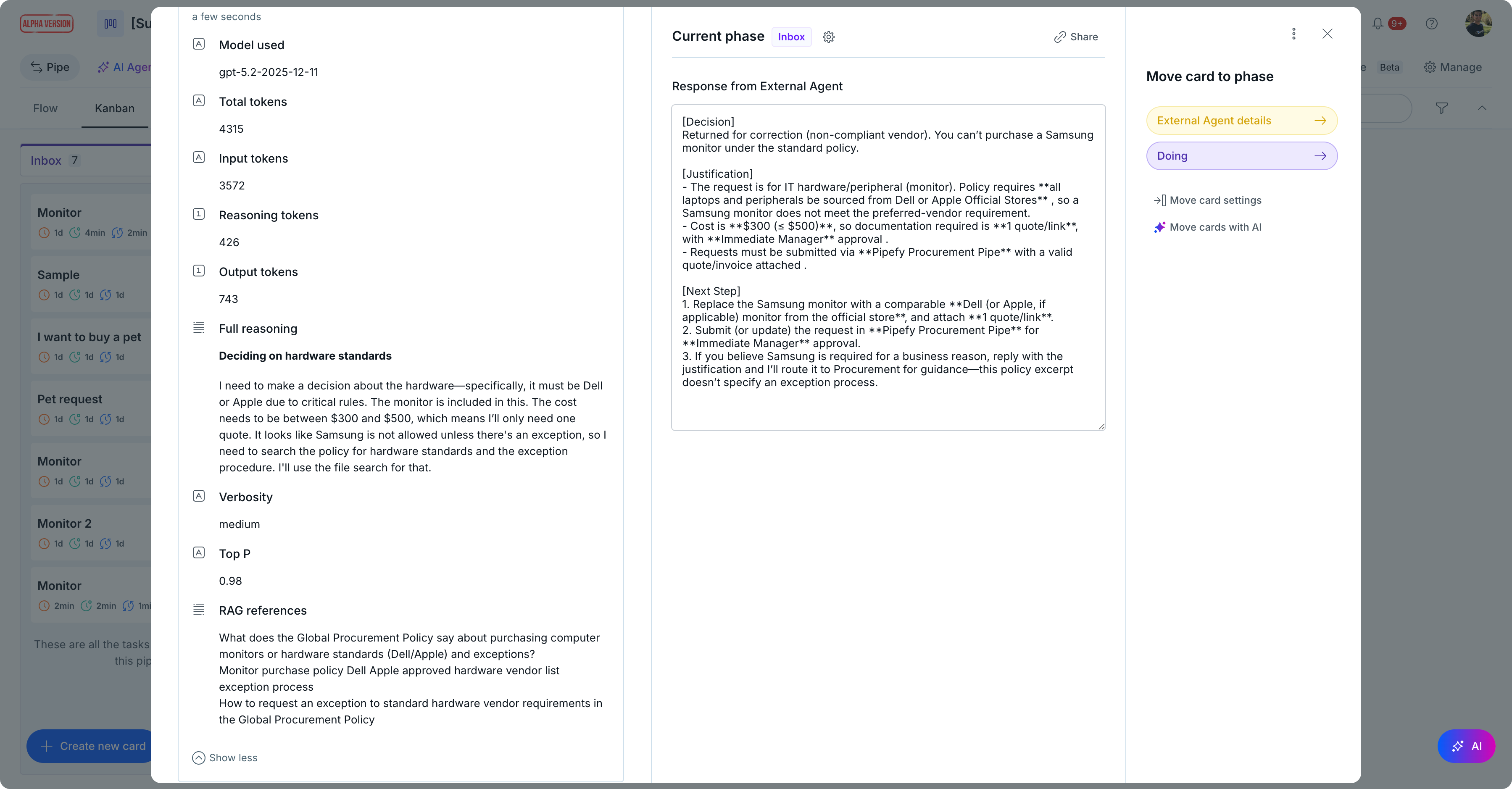
Beyond just the "Decision," we recommend getting some extra information, such as the Model, Token Usage, among others, into fields or a "Metadata" section to ensure future cost and performance audits. In the example, a specific phase called “External Agent details” was used:
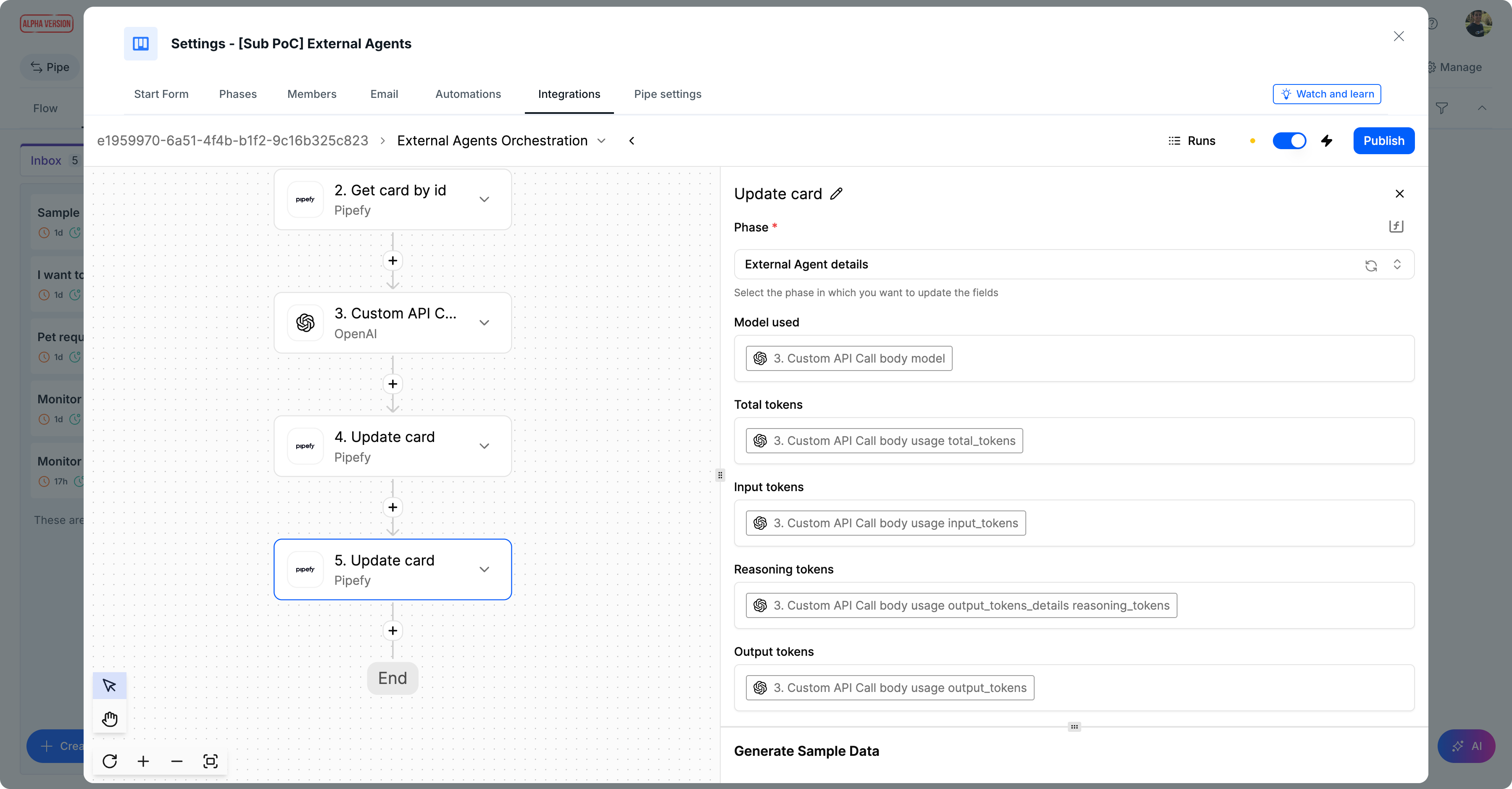
Step 2: Closing the Loop with Internal Agents
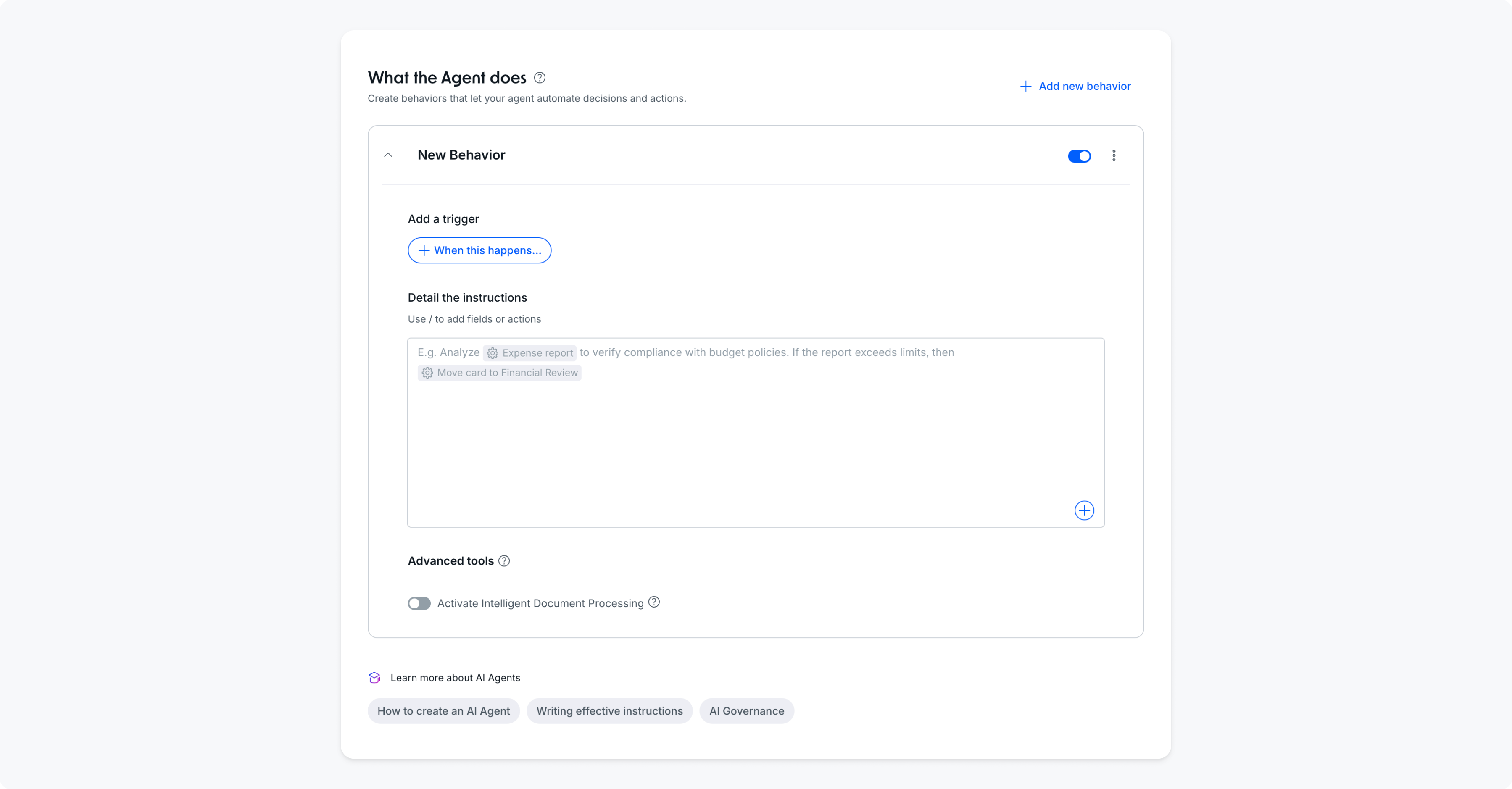
Once the external agent returns a decision, your Pipefy Internal Agents take over to execute the business logic.
Pipefy agents can:
- Structure Data: Transform raw AI text into structured Pipefy fields
- Execute Actions: Automatically move the card to “Manager Approval” or “Security Review” based on the AI’s verdict
- Human-in-the-loop: Draft a tailored email to the requester explaining the decision, leaving it ready for a human to hit “Send”
Step 3: Enterprise-Grade Observability
Don’t let your AI become a black box. For IT and Finance teams to trust autonomous agents, transparency is essential.
By mapping metadata from your external agent back into Pipefy, you can track:
- Reasoning Traces: Why the agent made a specific decision
- Resource Usage: Token consumption and inference costs per request
- Model Governance: Which model version was used for each specific card
Below you can see a Pipefy Card with a dedicated “External Agent details” phase for AI Governance, filled with logs, model, token counts, and Reasoning.
Pro-Tip: The Observability Dashboard
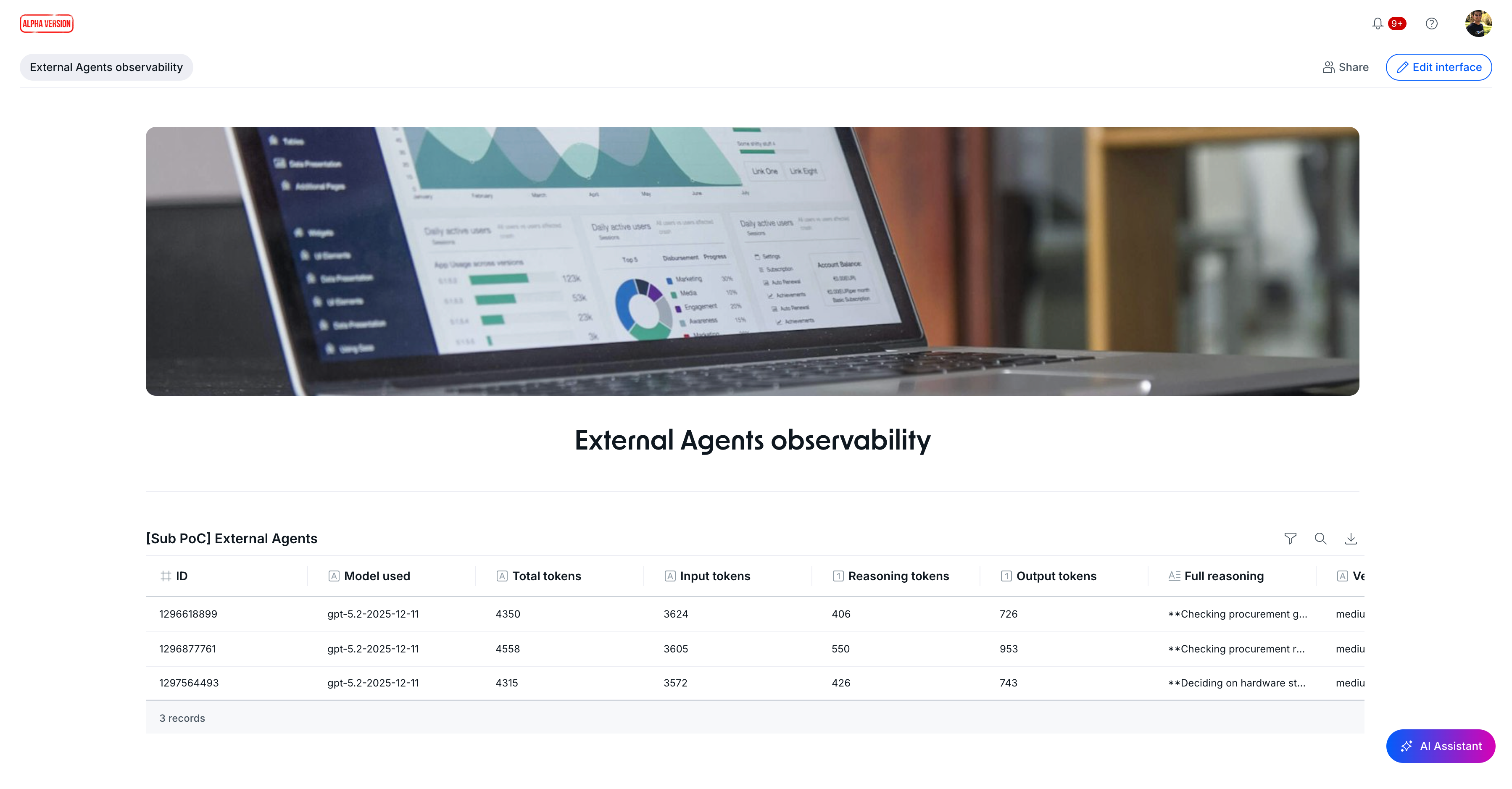
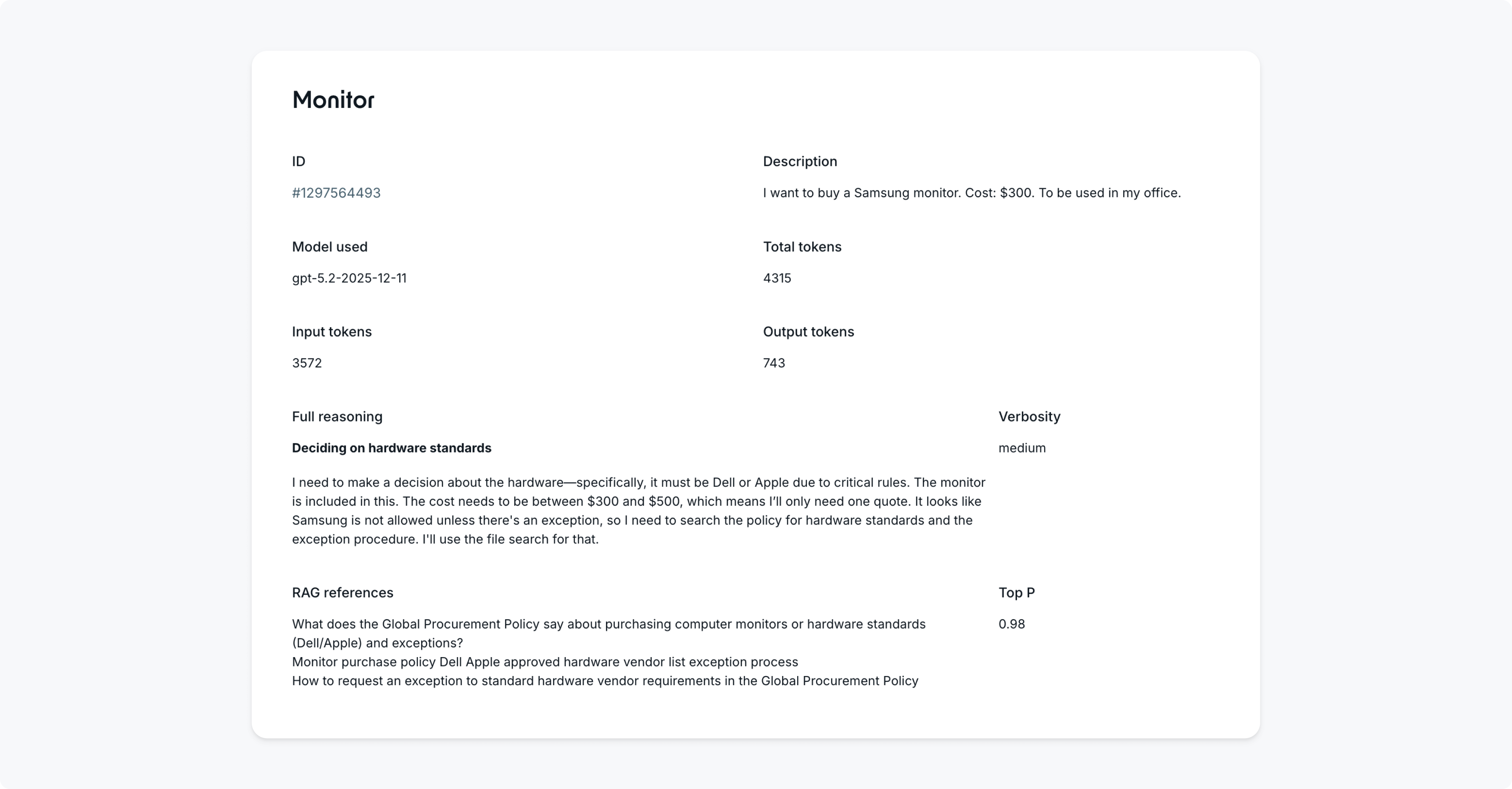
Take it a step further by using Pipefy Interfaces to build a centralized AI Command Center. Monitor the performance, accuracy, and ROI of all your agents, internal and external, in one place.
Example in Action: Procurement Use Case
We tested and demonstrated this orchestration using a Purchase Policy scenario. In short:
- The Request: A user asked for a "Samsung Laptop" (violating the "Dell/Apple only" policy).
- The External Agent: Instantly identified the violation and cited the Procurement Policy.
- The Result: Pipefy automatically flagged the card, logged the reasoning, and notified the requester.
Ready to orchestrate your controlled autonomous workforce?
Updated 8 months ago